 HeroKid
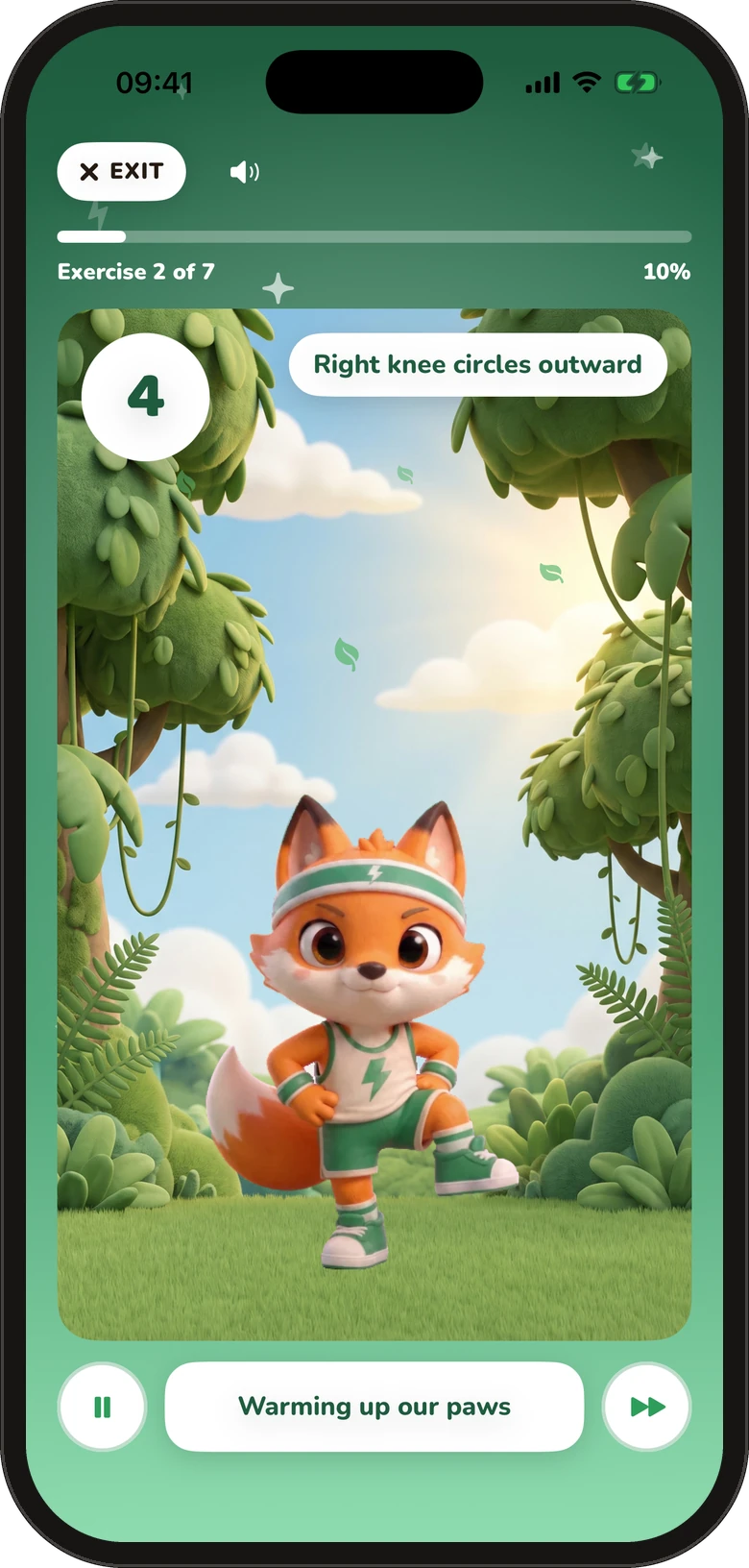
Kit leads, the camera counts
Head turns, knee circles, squats, star jumps. Counting happens on the phone; nothing is recorded or sent.
HeroKid turns a short workout with Kit the fox into game minutes. Your kid moves, you say yes, games open — and lock again when the time is up.


No arguing about screens. The deal is simple, and the app keeps it.
Kit shows each move and the camera counts it. Five to twenty minutes, right in the living room.
A finished workout turns into game minutes. You choose how many, and how many a day at most.
Your kid asks, you tap Allow. Games open for exactly that time and lock again at zero.
Kit is a plush little fox in a sweatband who moves along, cheers every rep and never gets tired of jumping jacks.
Head turns, knee circles, squats, star jumps. Counting happens on the phone; nothing is recorded or sent.
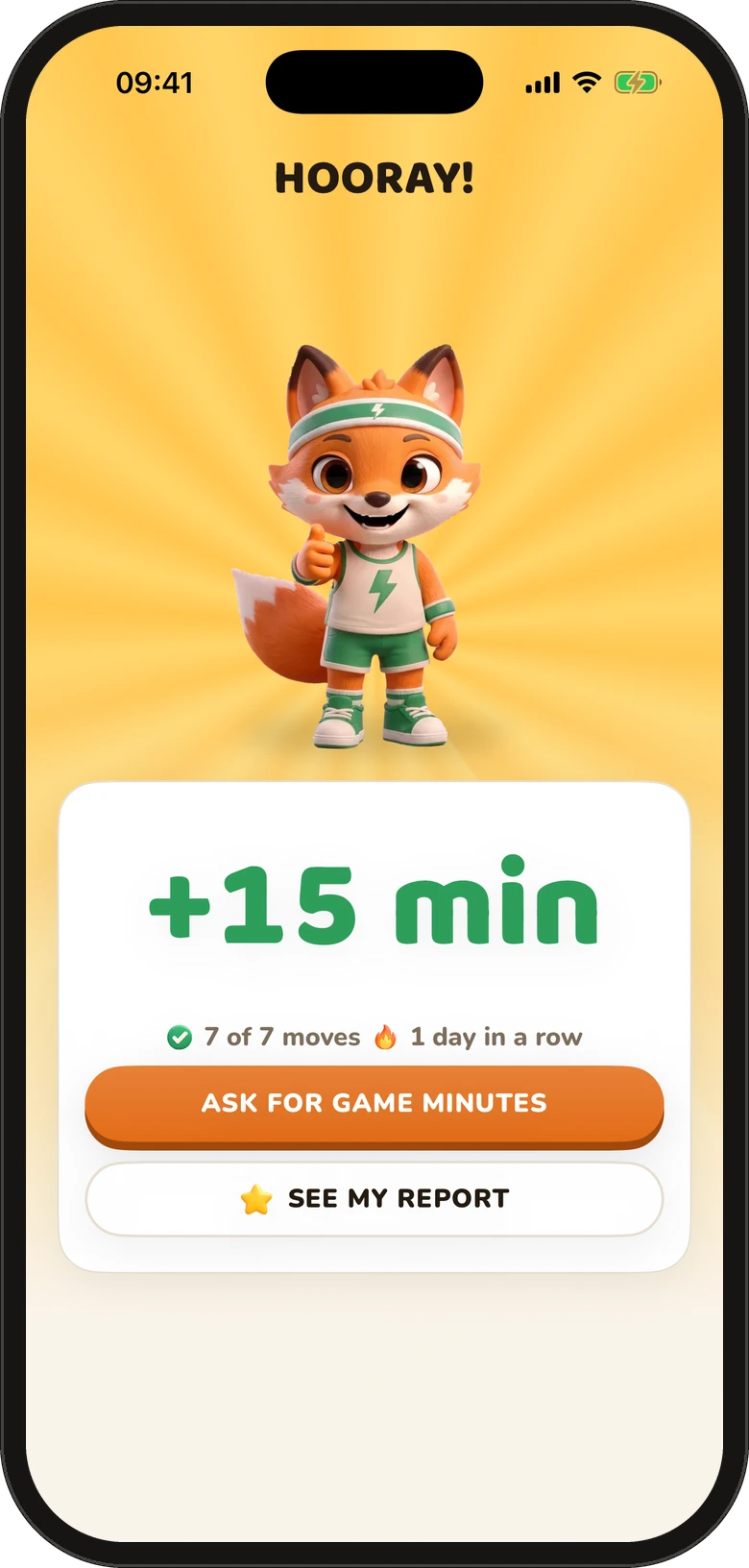
Finish the workout, see the minutes. A workout left halfway doesn’t count, so it stays fair.
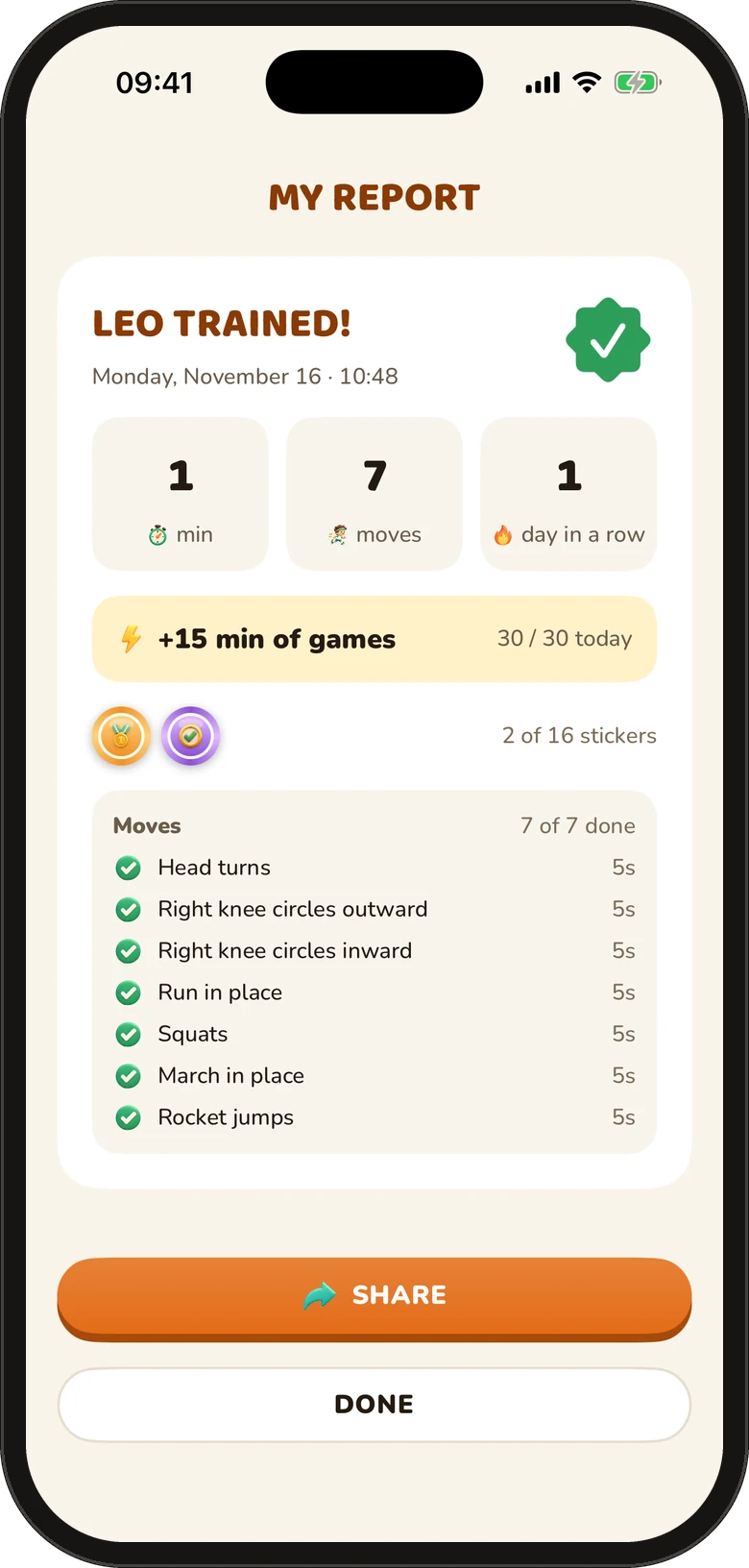
Moves, minutes and the streak on one card after every workout.
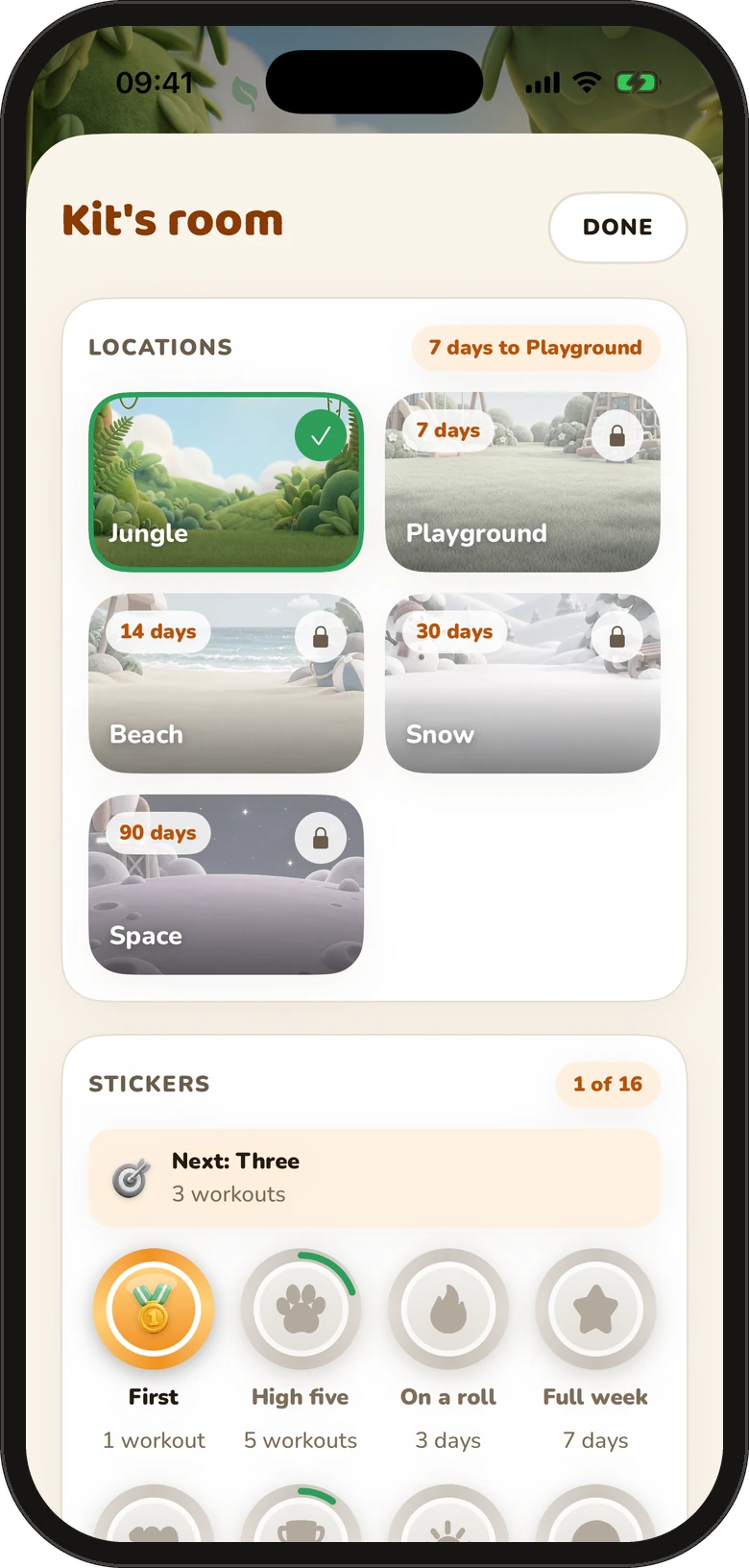
Keep the streak going to unlock the playground, the beach, snow and space. Sixteen stickers to collect.
Everything happens on your phone: requests, limits, progress. Your kid’s device simply follows.
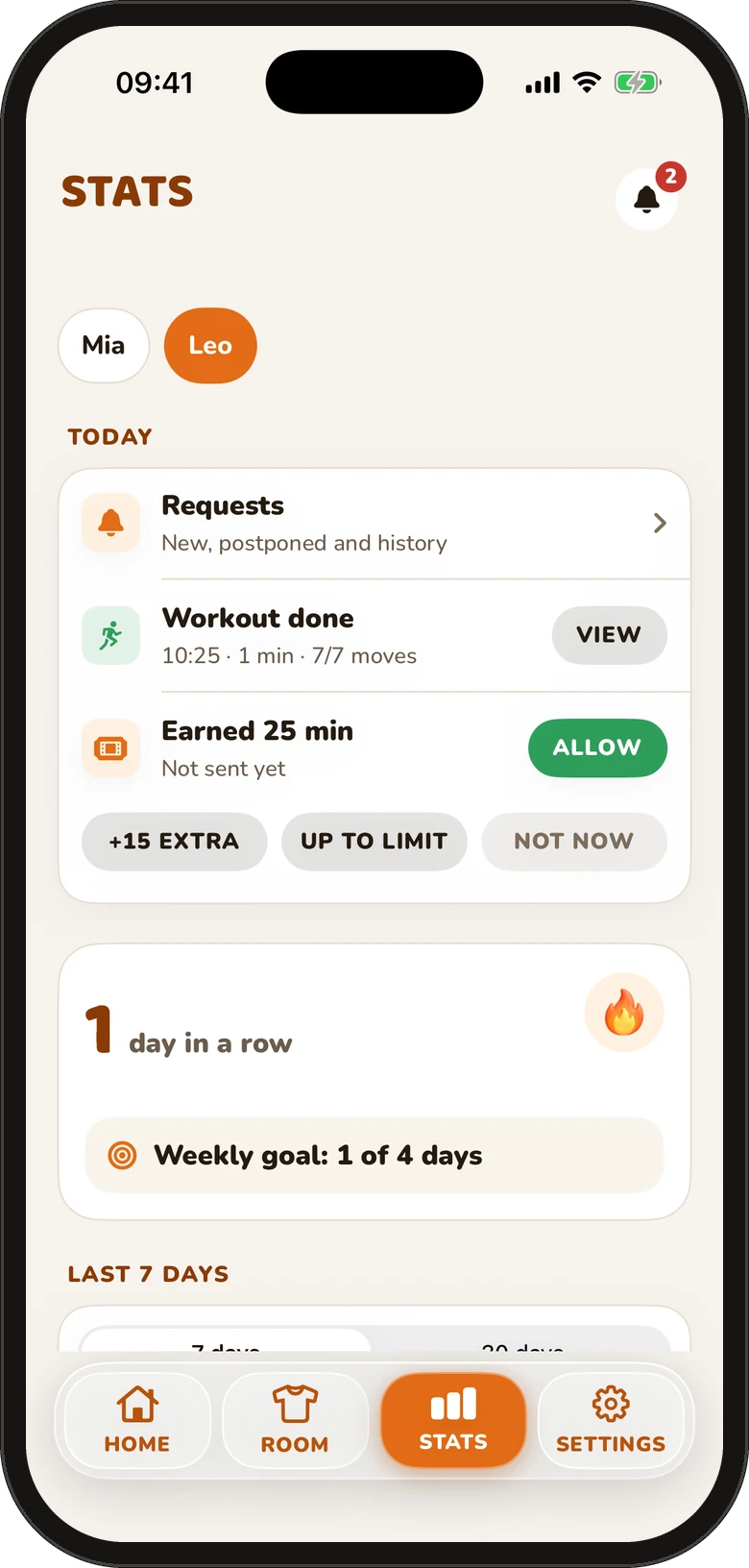
When a workout is done, your phone gets a request. Allow it, say “Not now”, or add a few extra minutes for a good day.
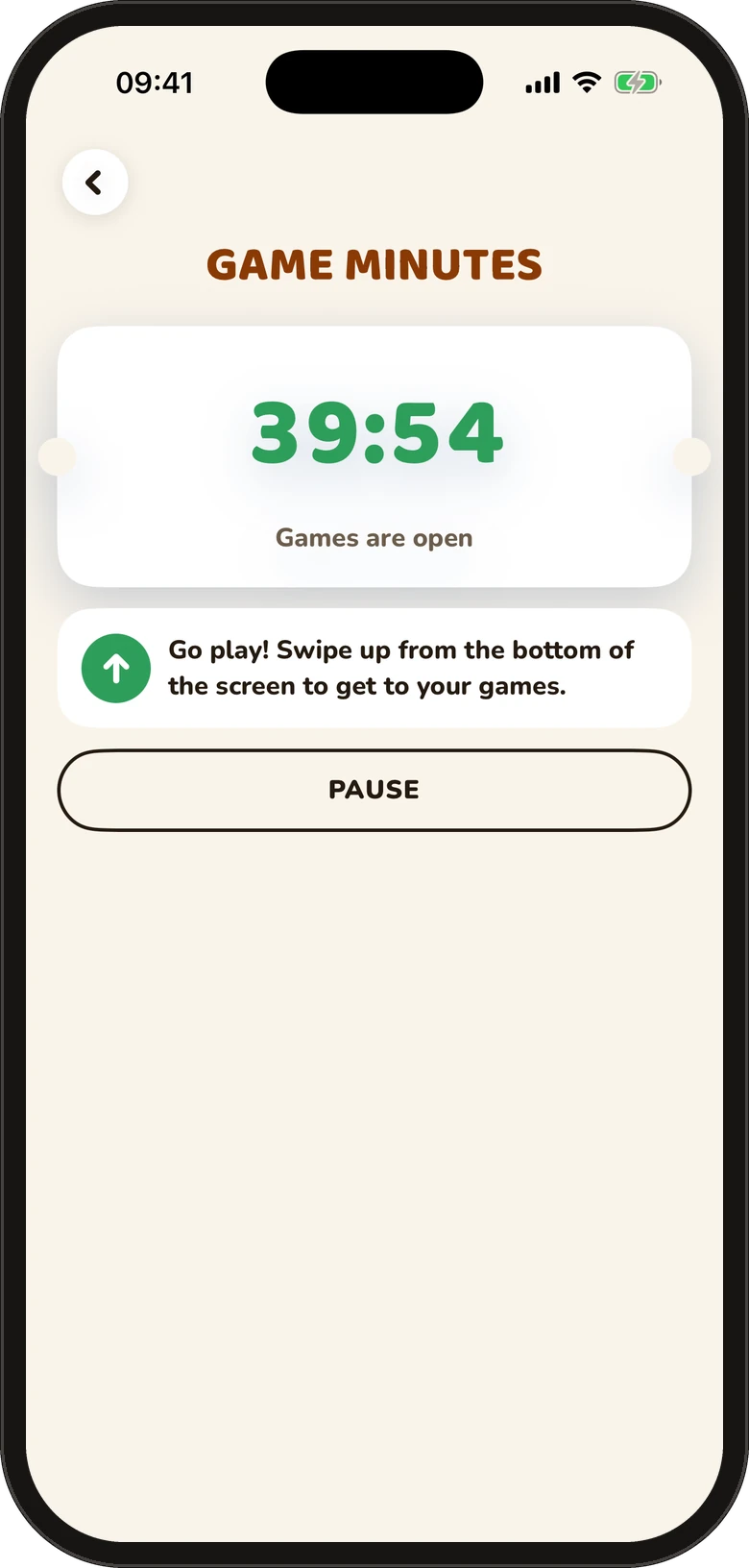
A clear countdown your kid can see. At zero the games lock again: with Apple Screen Time on iPhone and iPad, and with HeroKid’s own lock on Android.
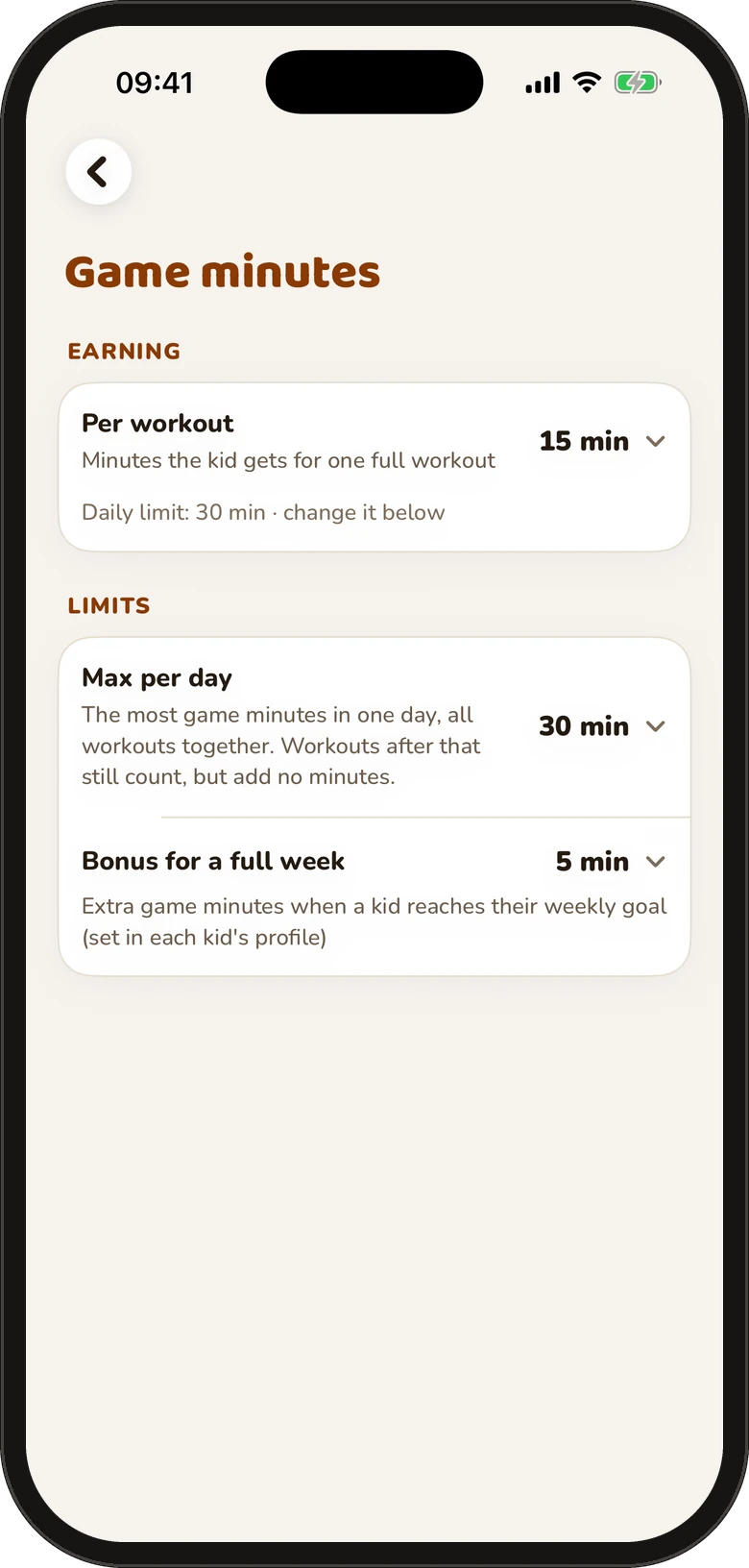
Decide what a workout is worth and how much screen time is enough. HeroKid remembers it for every kid.
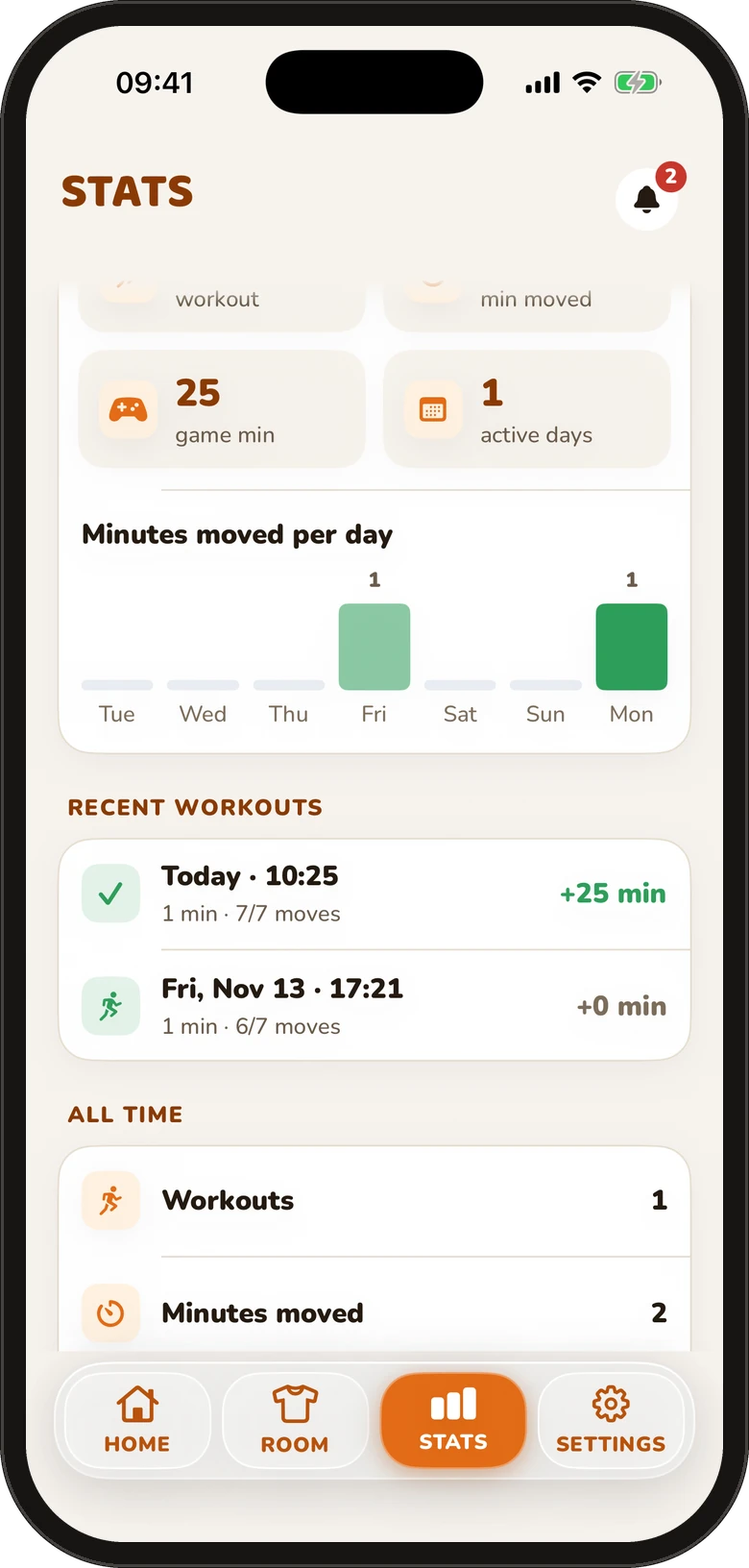
Today’s workout, the streak, the weekly goal and every minute given, for each kid. A short summary arrives every week.
A family app where kids earn game time by moving. Kit the fox leads a short workout, the camera counts the moves, and a finished workout turns into game minutes that a parent approves.
Kids aged 4 to 9. A parent sets everything up; the kid only needs to tap Train and move along with Kit.
No. The camera recognizes movement on the device only. No video or photo is saved or sent anywhere, and nobody can watch the workout, including us.
On iPhone and iPad HeroKid uses Apple’s Screen Time: you choose the apps, and they stay locked until minutes are granted. On Android HeroKid shows its own lock screen over the apps you choose. Automatic locking is part of Premium.
No. HeroKid works on the kid’s own phone or tablet, on a shared family tablet, or right on your phone.
Yes. Each kid has their own progress, stickers and minutes. More kids and a second parent are part of Premium.
HeroKid is free to start: one kid, 5- and 10-minute workouts, up to 15 game minutes per workout, and requests you approve by hand. Premium adds automatic game lock and night lock, schedules, longer workouts, more kids and a second parent. Premium starts with a free trial: 3 days on the monthly plan, 7 days on the yearly one. Or pay once and keep it for life.
There are no ads, no chat and no strangers in HeroKid. A kid never creates an account or enters an email. Messages between family devices are encrypted and expire after one day. Details are in our Privacy Policy.
Setup, Screen Time, ideas for new moves: write to us about anything.
HeroKid is coming soon to the App Store and Google Play. Five minutes of moving today, a happier evening tonight.
